Hello. Recently got the t7. I'm finding that I can't keep the cue up point when scratching. Keeps losing the spot. I've tried different slip mat configurations and it's always the same. I've tried adjusting the scratch settings but makes it worse.
I've seen videos where they are scratching on the Hercules slip mats and it's tight and on beat. I can't scratch on beat without it drifting off.

Hello Dond,
Welcome to the forum.
1) Please precise
- if, when you write you cannot keep the cue point, you mean the vinyl disc is drifting,
- your DJ app (name and version) and computer environment.
2) If your DJ app is Serato DJ Pro, please make sure the setting CD/Vinyl > Vinyl Control > Anti-Drift is disabled (if it is enabled, the vinyl disc drifts when you scratch).
Anti-Drift setting must be activated only if you do not scratch.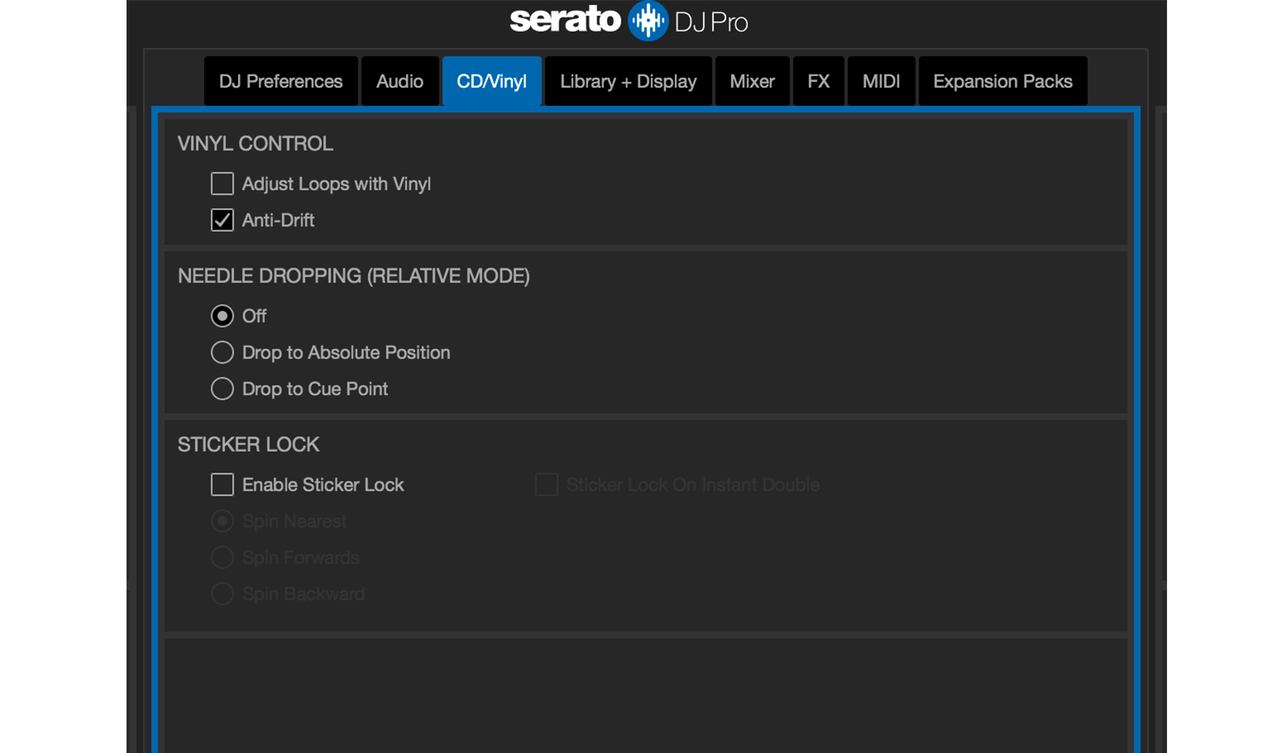
- Yes. As I'm moving the disc I can see the cue up point move away
I have windows 11 on i7 with latest version of djuced. Should I try Serato lite?
I tried Serato with the antidrift off and that works great. Does djuced have a setting like that or should I stick with Serato?

Hi DOND,
To be honest I know that under certain conditions it is possible that DJUCED drifts a bit, especially with beat juggling or huge scratches.
Anyway this is something that the DJUCED Team is working on and it will be corrected as soon as it has been improved and tested by scratch DJs.
Also, just know that disabling the "Anti-Drift" on Serato avoid the drift when scratching, but will introduce drift while playing two song to each other. (like on regular turntables with real vinyls , you need to beatmatch a bit constantly if you make long transitions).

Is it possible for the UX team to make a portable version of the program, or would you advise against it because it is too large? If so, how easy is it to put a txt file with Portable in the folder, as with OBS?
Hello BAUMI,
Please precise what you call a portable version of the program?
Do you mean a version for smartphone (then there is the app djay Pro in iOS, which supports well DJControl Inpulse T7) or do your mean something else?
Hello DOND,
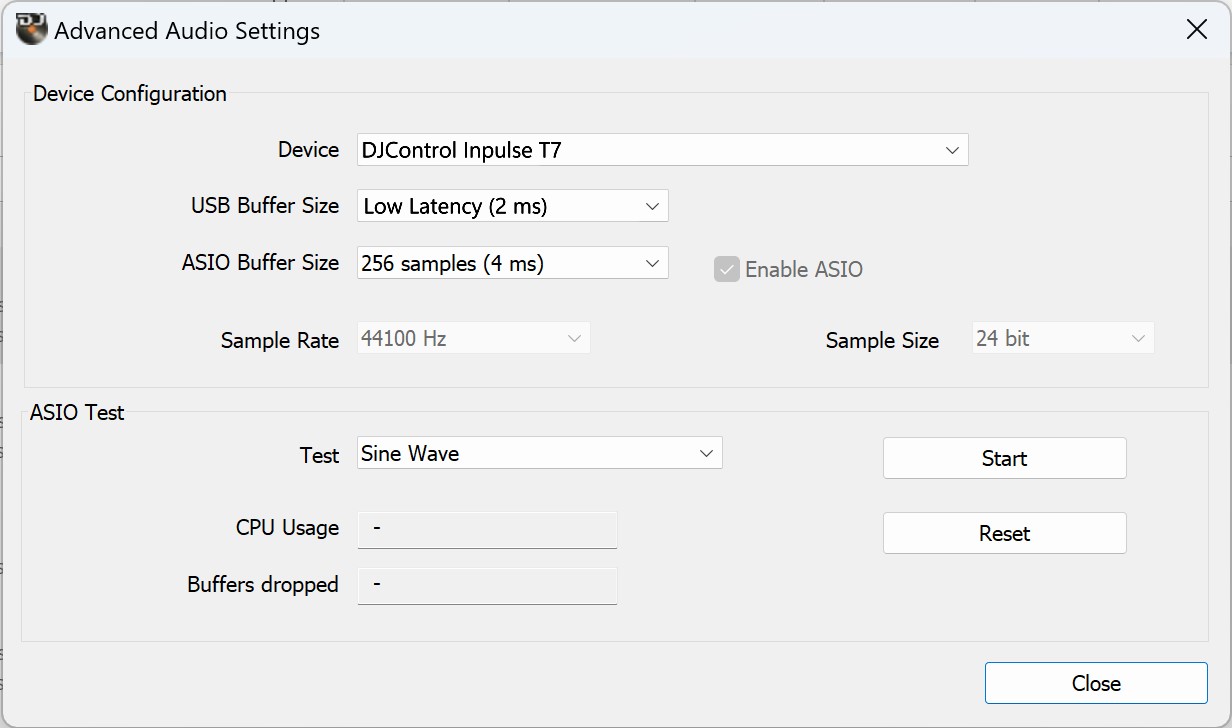
About the drifting, can you try if increasing the USB buffer size has an impact:
1) Quit the DJ app
2) In Windows notification area, right click on Hercules DJ icon

3) Select "Advanced Audio Settings"
4) In the Advanced audio settings, try
USB Buffer Size 2ms (instead of 1 ms)
ASIO Buffer Size 4ms
UX-Team A portable version is one that you can put on a USB stick and use anywhere instead of installing it permanently on your computer. This way, your customer can use it anytime, anywhere. I could show you a video of how it was done at OBS. The customer keeps the settings they have defined themselves and can use them wherever they want. With the license. This is just an idea on how to use the program more effectively.
I will try adjusting the audio settings.
I'm also getting sound in the background like clipping but tried reducing the latency in Serato and still no fix...I have the t7 , laptop and my Wi-Fi modem on the same electrical outlet. Not sure if that is the issue or if it's the laptop settings that need to be tweaked?
I'm finding with more use that the t7 and Serato will slightly drift as well. Much more control with Serato over djuced but still there ever so slightly
Hello Dond,
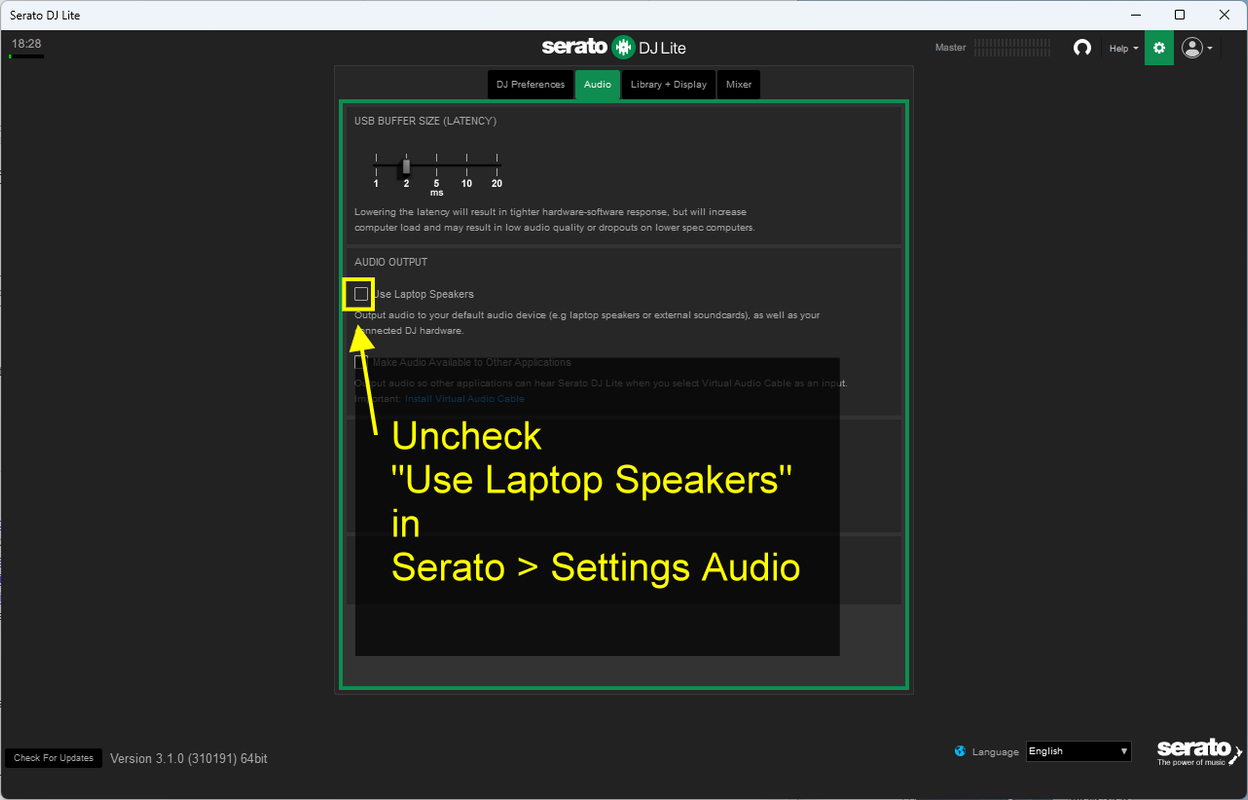
If you hear a sound in the background in Serato, please check Serato Settings and make sure "Use laptop speakers" is inchecked.
- Open Serato DJ settings
- Go in Audio tab
- Check "AUDIO OUTPUT" settings and make sure "Use laptop speakers" is unchecked