

Hi,
I bought the Hercules DJController Inpulse 500 and using DJUCED (light) 6.5.2 and have problems with the beat grid. I noticed, that the beat grid on several tracks (*.mp3) wasn't aligned to the real beat of the track and found some help in this video:
I found out, how to manually correct the beat grid in DJUCED but then I noticed, that the grid slides off after a few seconds playing. See attached screenshot. You see "Three Drives - Carrera 2 (Nu Nrg Remix)" and analyzed with 140.8 bpm, no beat grid corrected. And within a few seconds the beat grid leading the beat a few milliseconds slipps away and is now trailing the true beat. My only answer is, that the analyzed bpm is wrong. But this would be a lot of work, to correct all these false tracks manually.
So any ideas how to fix this issue? Or maybe it's another cause ...
Thanks in advance and best regards
Edit: I can't add internal or external screenshots -.-

Hello Marcel,
1) The way to add screenshots is to upload the image on a host website (I use postimage) and to add the address of the image on the post.
2) I will check later if I can find the track to analyze the root cause of the BPM change.
I tried it via postimage and another host website and the link was always removed (grey typo "removed link", when I pasted it and it happens again, if I try it now
removed link

Hi,
I just included an image hosted on https://freeimage.host.
First, I Dragged & dropped the image in https://freeimage.host
Then, Freeimage.host proposed several links
1) The first link, viewer link https://freeimage.host/i/BaL1raS did not work in the forum
2) so I open the page https://freeimage.host/i/BaL1raS, right click on the image (in Chrome) and asked "Open image in a new tab"
3) I copy the image address 
4) and when I paste it in the forum post, it displays the image.
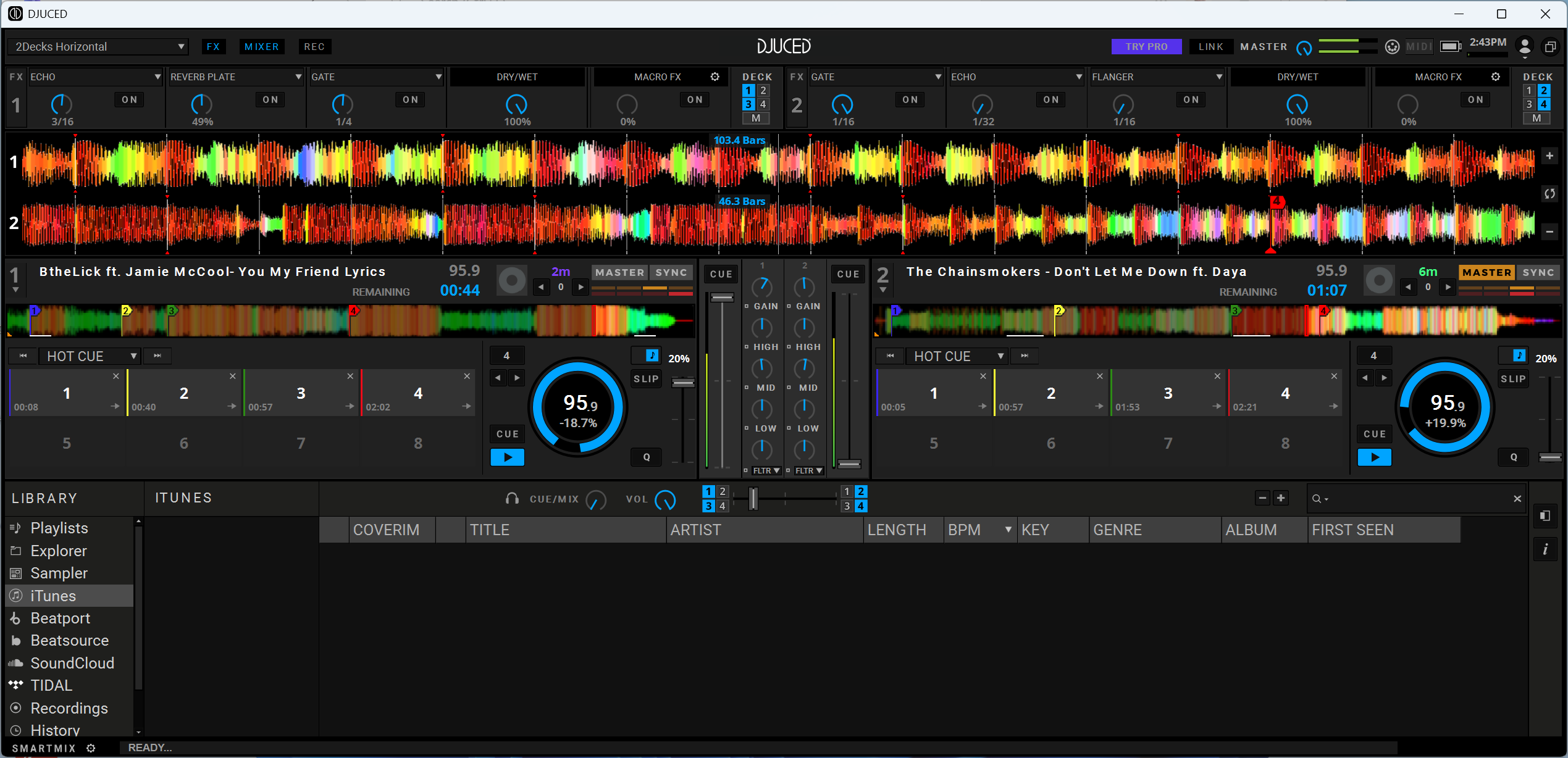
Thx for the tipp but no matter which hyperlink I try (I also tried to paste it in a code-snipped) the link is removed after I save my post
Hello Marcel,
Thanks for your feedback, I report your point to the webmaster to know whether this is is a bug or normal (limit of user rights).
