Notifications
Clear all
0
24/08/2026 12:30 pm
Topic starter

Hi,
If a captcha menu prevents you from login on https://support.hercules.com, please check your cookie settings:
1) click on the green cookie icon = "Customize settings": Cookie settings icon is generally on bottom left of the screen.

2) In the cookie settings menu, accept the "Targeting Cookies" and click on "Save my preferences"
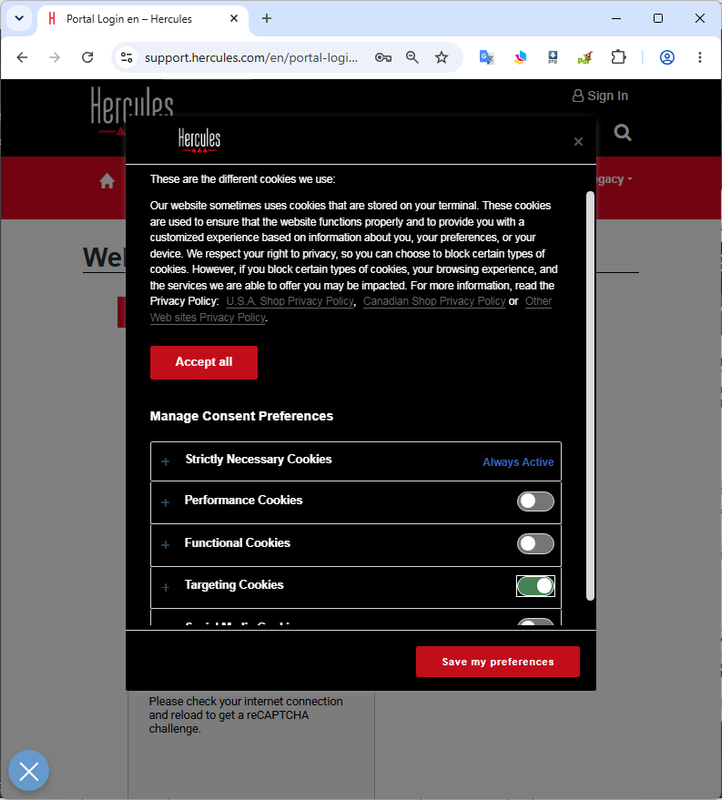
3) Then the reCAPTCHA mensu should be properly displayed and available.
This topic was modified 2 months ago by UX Team
